# Google Analytics

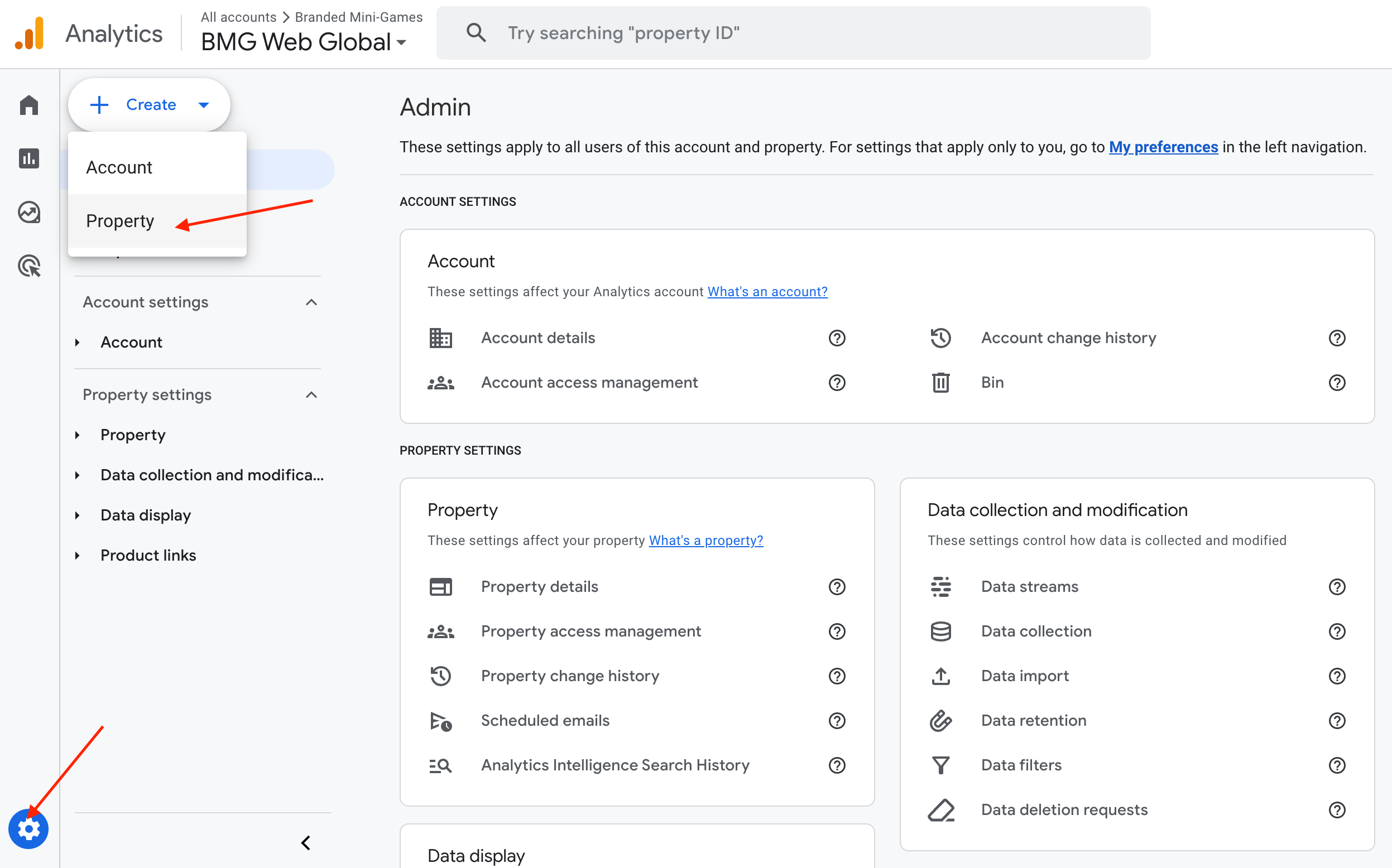
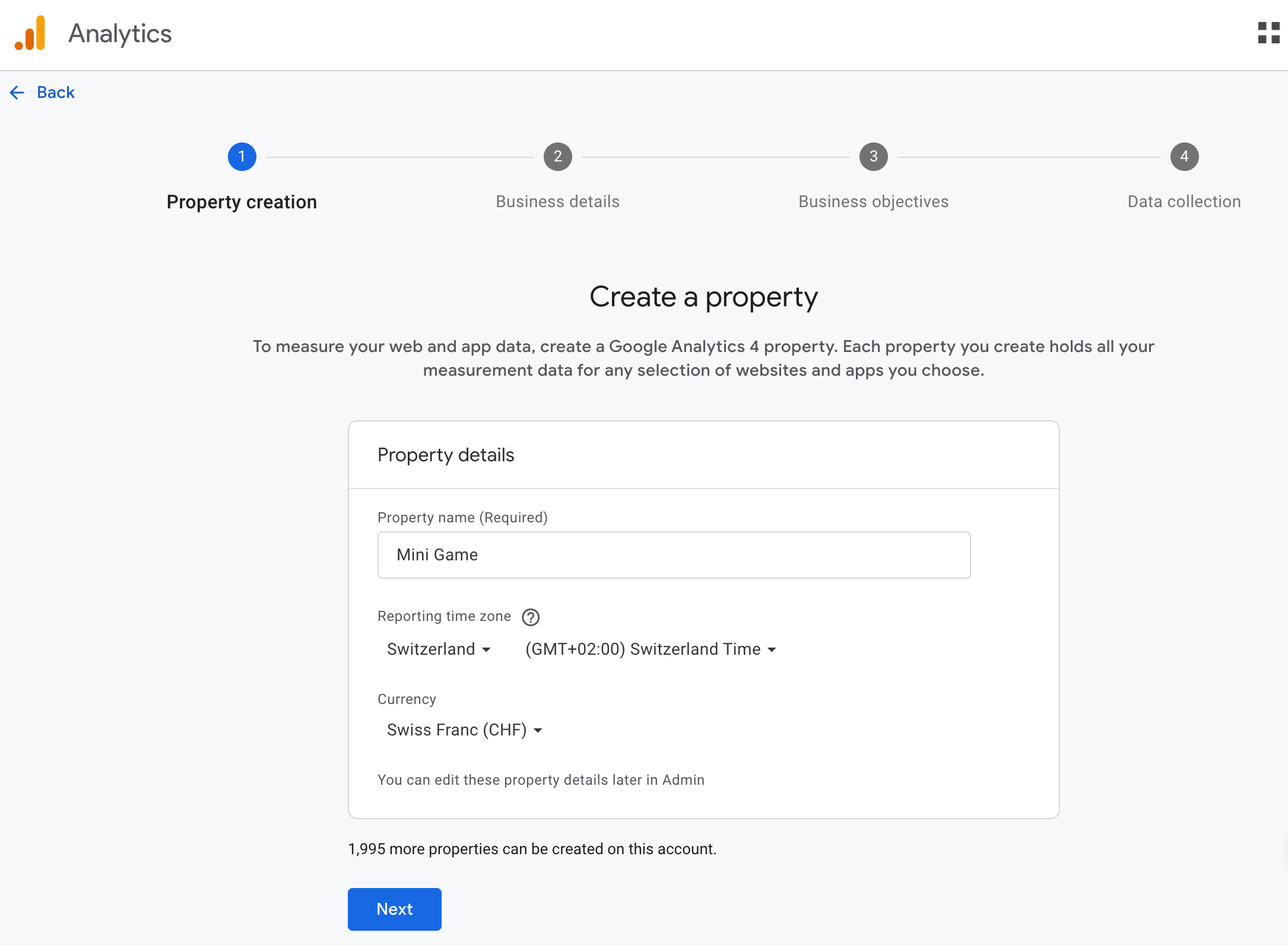
To collect data for the mini-game through Google Analytics, you must first register a property in Google Analytics.

<figure><img src="https://970521601-files.gitbook.io/~/files/v0/b/gitbook-x-prod.appspot.com/o/spaces%2FXF5Q8drxdQOBisGrmGGu%2Fuploads%2FrYIGw1HRgQOmViyHiQ7L%2FScreenshot%202024-09-14%20at%2021.17.20.png?alt=media&#x26;token=8530a605-2412-4436-95ba-f43deb009cce" alt=""><figcaption></figcaption></figure>

<figure><img src="https://970521601-files.gitbook.io/~/files/v0/b/gitbook-x-prod.appspot.com/o/spaces%2FXF5Q8drxdQOBisGrmGGu%2Fuploads%2FbBN6uodx64EPOfUJ0k1X%2FScreenshot%202024-09-14%20at%2021.18.27.png?alt=media&#x26;token=b827bd08-2d12-4e63-94a7-f085a4fe9ef7" alt=""><figcaption></figcaption></figure>

<figure><img src="https://970521601-files.gitbook.io/~/files/v0/b/gitbook-x-prod.appspot.com/o/spaces%2FXF5Q8drxdQOBisGrmGGu%2Fuploads%2FxotreAqMoOUnVOlmM2OZ%2FScreenshot%202024-09-14%20at%2021.19.12.png?alt=media&#x26;token=f89d23f6-c6ee-4ed4-8236-3a6277b04942" alt=""><figcaption></figcaption></figure>

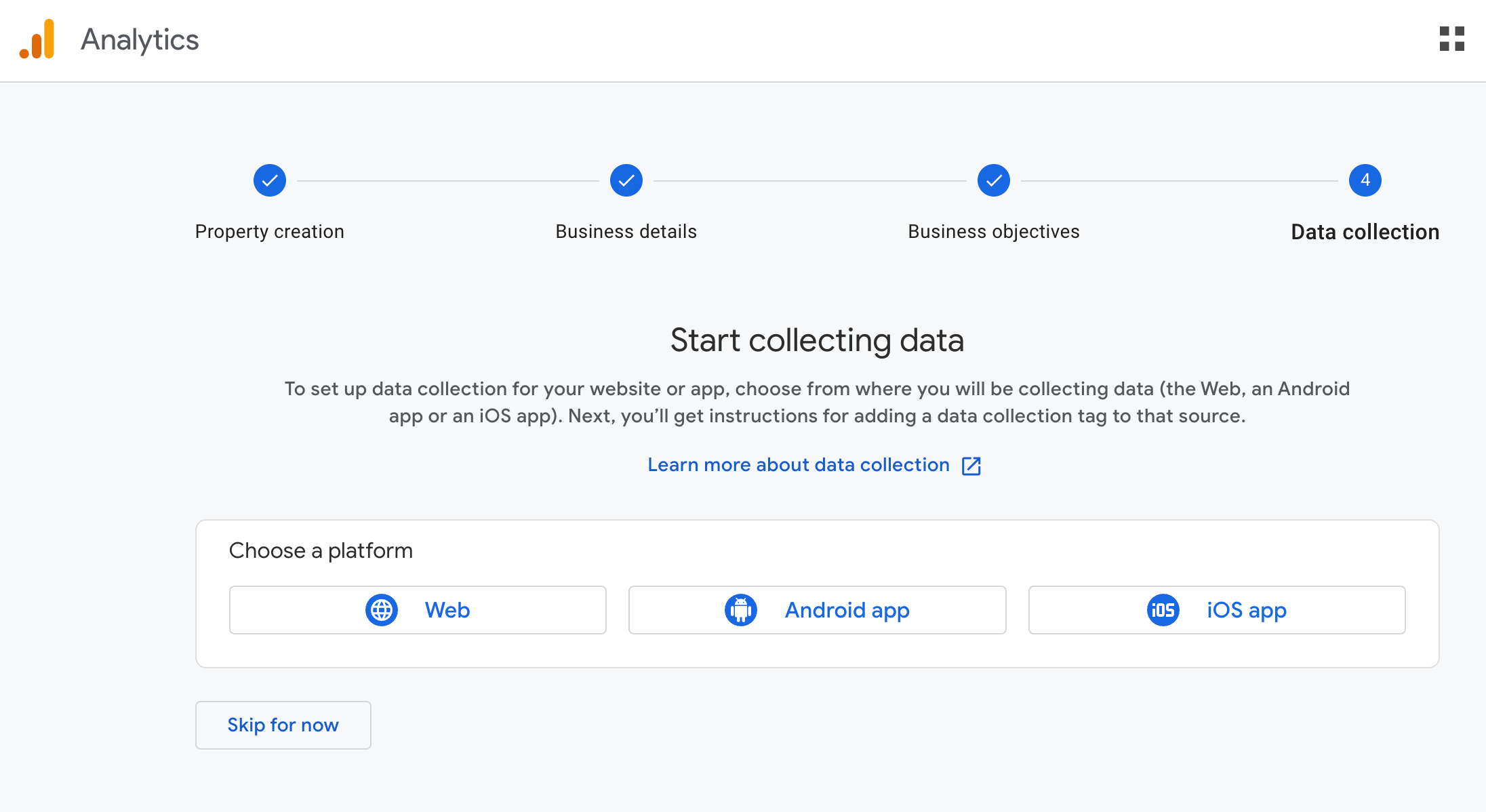
Select "Web" on the "Choose a platform" screen.

<figure><img src="https://970521601-files.gitbook.io/~/files/v0/b/gitbook-x-prod.appspot.com/o/spaces%2FXF5Q8drxdQOBisGrmGGu%2Fuploads%2F8vR8S4M749xcsQkLXmGr%2FScreenshot%202024-09-14%20at%2021.19.51.png?alt=media&#x26;token=a9999a68-810a-4870-959b-651c58fe1b32" alt=""><figcaption></figcaption></figure>

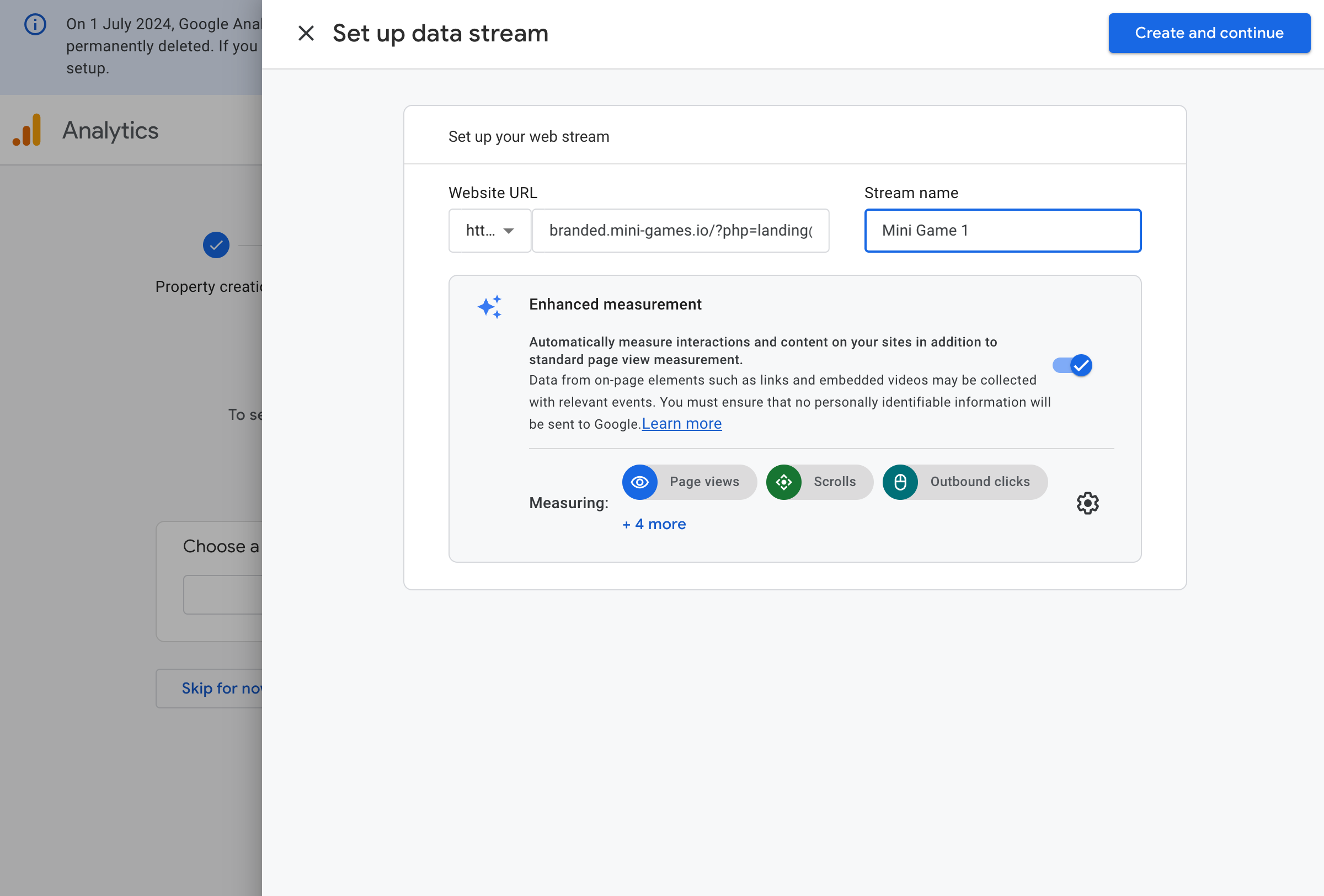
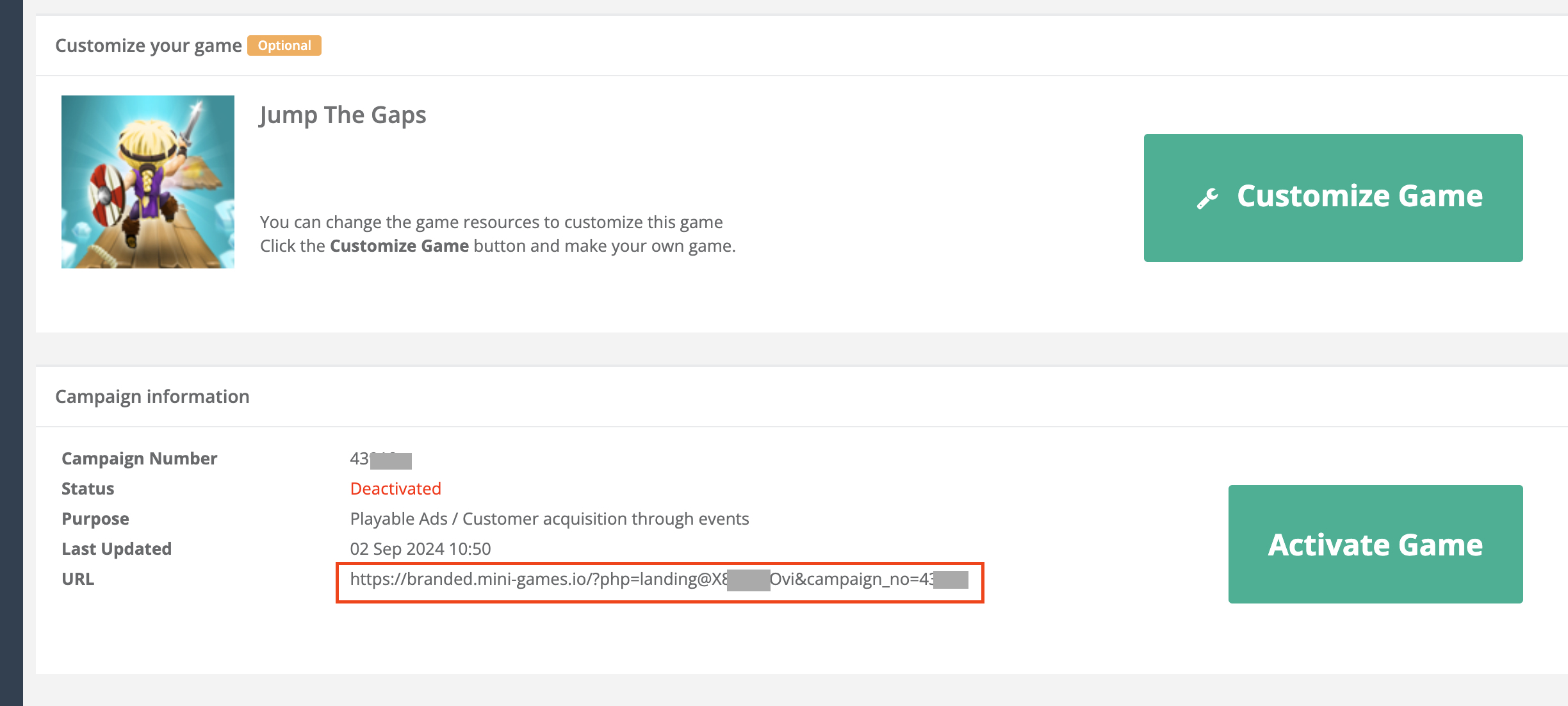
Add the mini-game link to the Website URL. The mini-game URL can be found in the Campaign information section of the studio's Game settings.

<figure><img src="https://970521601-files.gitbook.io/~/files/v0/b/gitbook-x-prod.appspot.com/o/spaces%2FXF5Q8drxdQOBisGrmGGu%2Fuploads%2FXfgxy0QVZ94GR59WvHl4%2FScreenshot%202024-09-23%20at%2016.10.14.png?alt=media&#x26;token=7dfb02b7-4be9-4d6c-a141-d22e5ff20d2c" alt=""><figcaption></figcaption></figure>

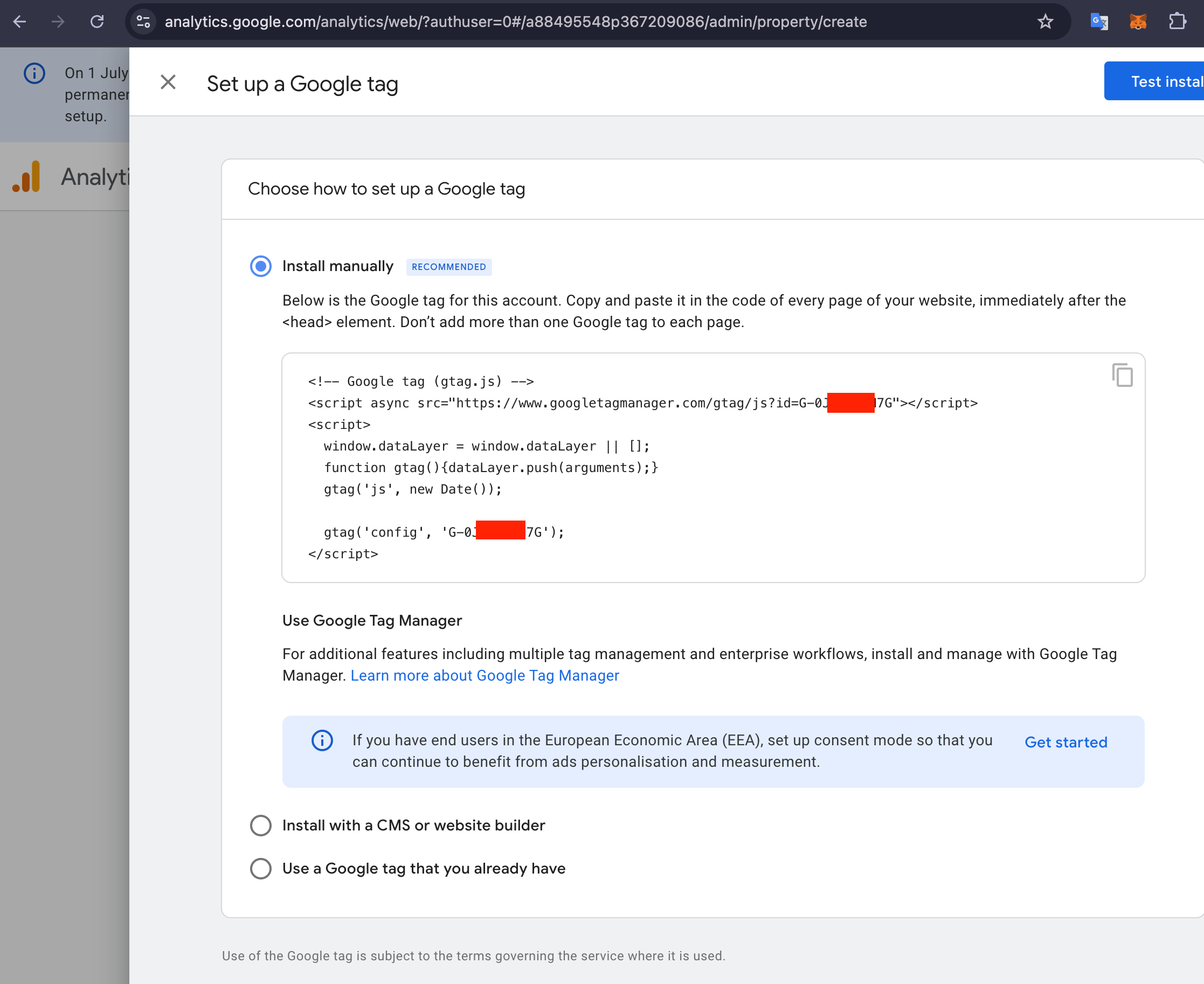
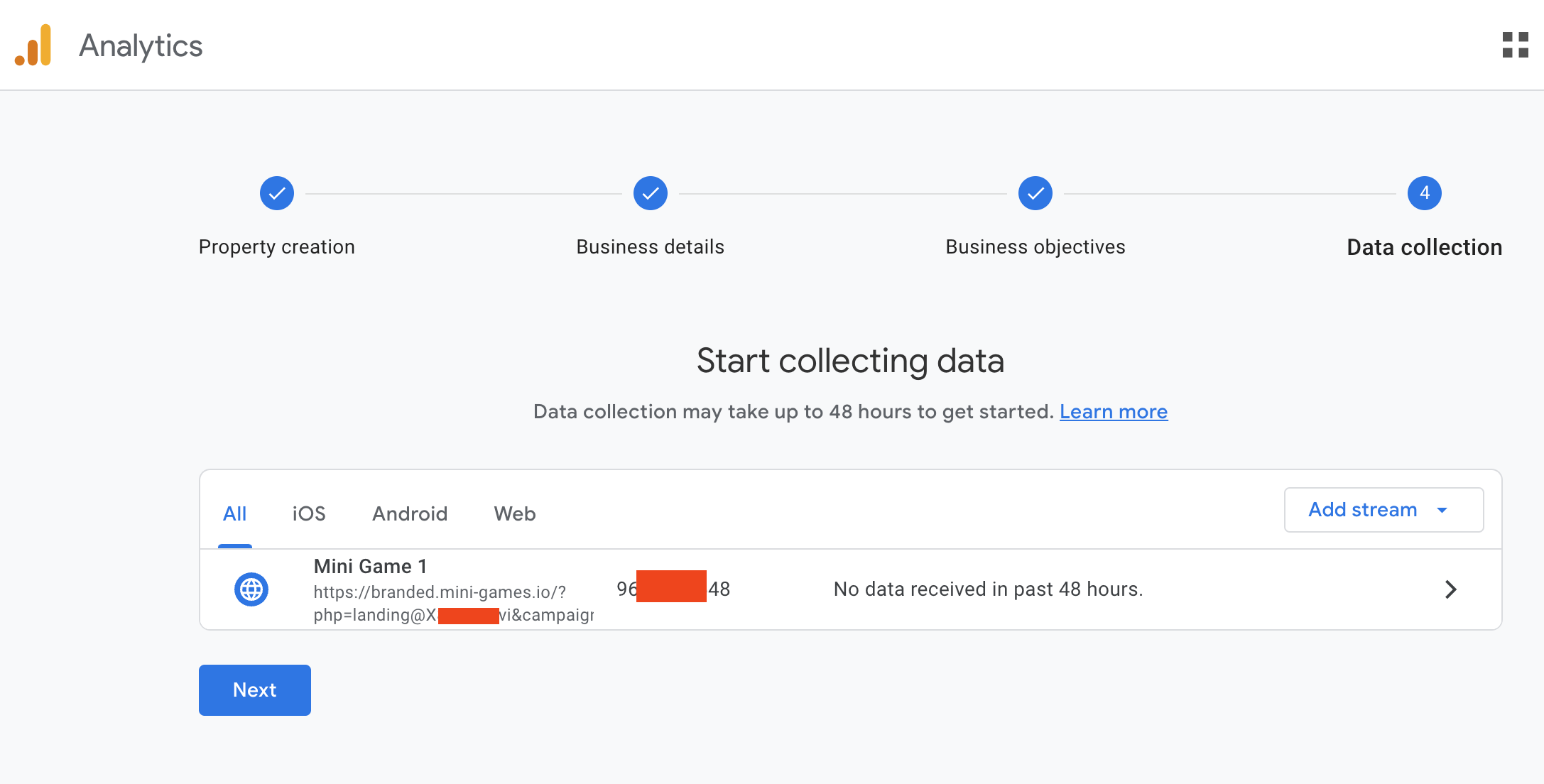
When you click "Create and continue," the Google tag information will be displayed. The ID starting with 'G-' in that tag is important.

<figure><img src="https://970521601-files.gitbook.io/~/files/v0/b/gitbook-x-prod.appspot.com/o/spaces%2FXF5Q8drxdQOBisGrmGGu%2Fuploads%2FRph13BF6HzwqKakIvuQG%2FScreenshot%202024-09-14%20at%2021.20.36.png?alt=media&#x26;token=c08d904e-acd9-407a-ba59-046e3c47a582" alt=""><figcaption></figcaption></figure>

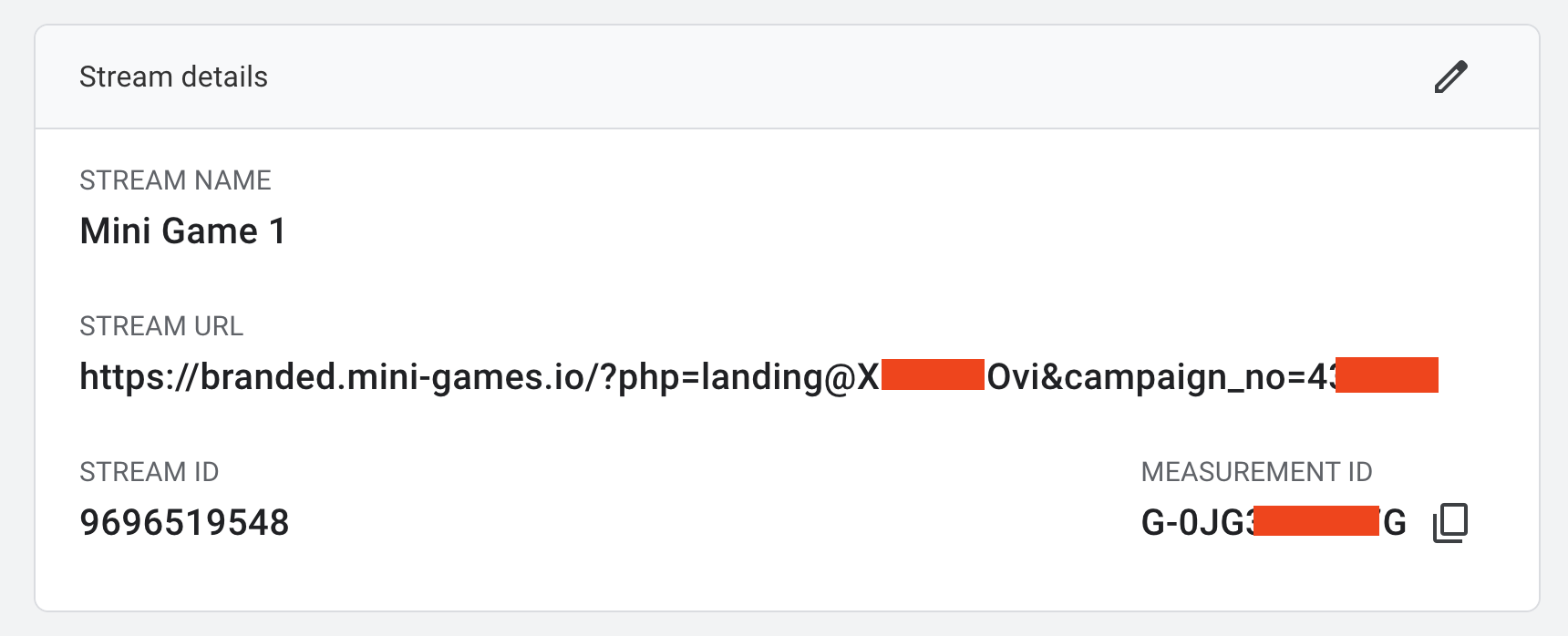
The reason is that a value like 'G-0JH2J74M7R' is called a <mark style="color:blue;">**Measurement ID**</mark>, and this value needs to be entered into the studio.

<figure><img src="https://970521601-files.gitbook.io/~/files/v0/b/gitbook-x-prod.appspot.com/o/spaces%2FXF5Q8drxdQOBisGrmGGu%2Fuploads%2FZMnPUWU03shoAP1JpQhA%2FScreenshot%202024-09-16%20at%2014.12.48.png?alt=media&#x26;token=2474389a-6212-4d22-bd4d-918725ff0066" alt=""><figcaption></figcaption></figure>

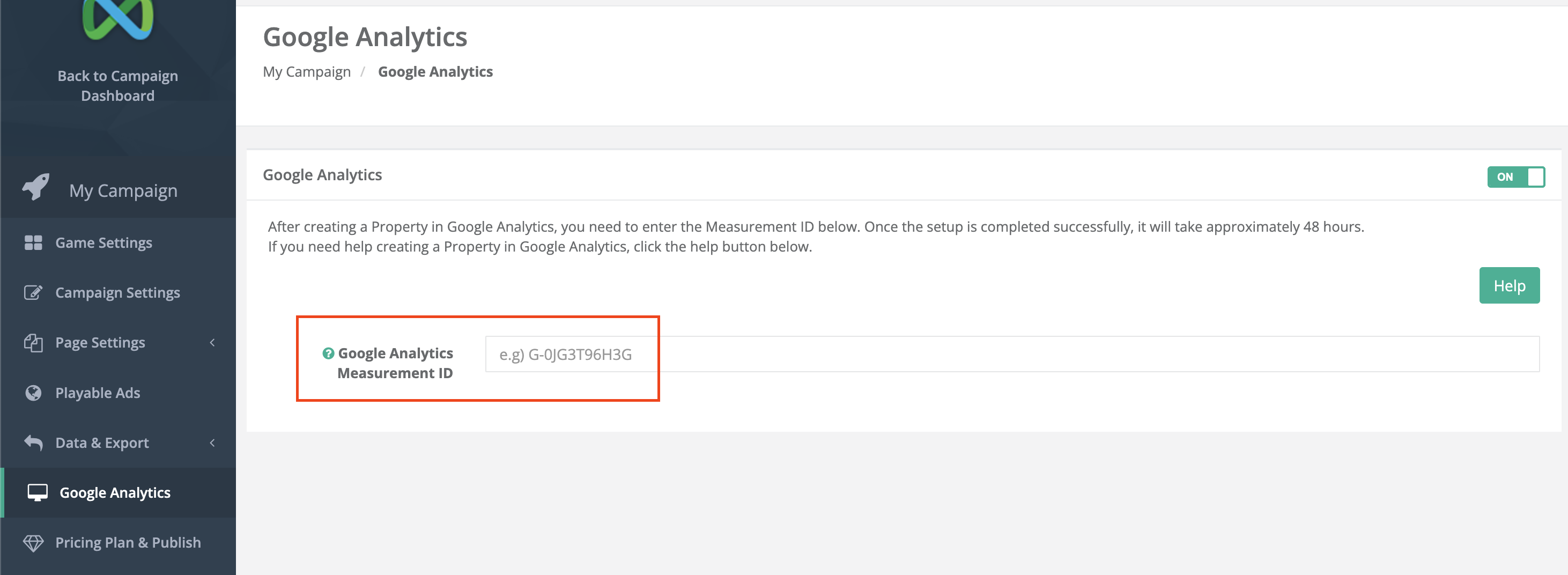
Copy the Measurement ID and add it to the studio.

<figure><img src="https://970521601-files.gitbook.io/~/files/v0/b/gitbook-x-prod.appspot.com/o/spaces%2FXF5Q8drxdQOBisGrmGGu%2Fuploads%2FpeU0yE5P1hz7Le8N8BpJ%2FScreenshot%202024-09-23%20at%2016.08.39.png?alt=media&#x26;token=20cd7f22-32d4-4461-8208-215a540bbfd8" alt=""><figcaption></figcaption></figure>

<figure><img src="https://970521601-files.gitbook.io/~/files/v0/b/gitbook-x-prod.appspot.com/o/spaces%2FXF5Q8drxdQOBisGrmGGu%2Fuploads%2FuXHLciTWAOTK0oP9GhoM%2FScreenshot%202024-09-16%20at%2014.17.33.png?alt=media&#x26;token=6896d5e5-1d89-41fc-8603-6a989c7c84b7" alt=""><figcaption></figcaption></figure>

Data collection will be available approximately 48 hours after the setup.