# UserID & Webhook

### 1. Introduction

The studio provides branded mini-games (HTML5 games) and stores game results (scores, playtime) in the system database.

However, some brands want to retrieve game results and store them in the brand's database.

This guide explains how brands can obtain game results from the studio.

### 2. Overview

#### Basic scenario

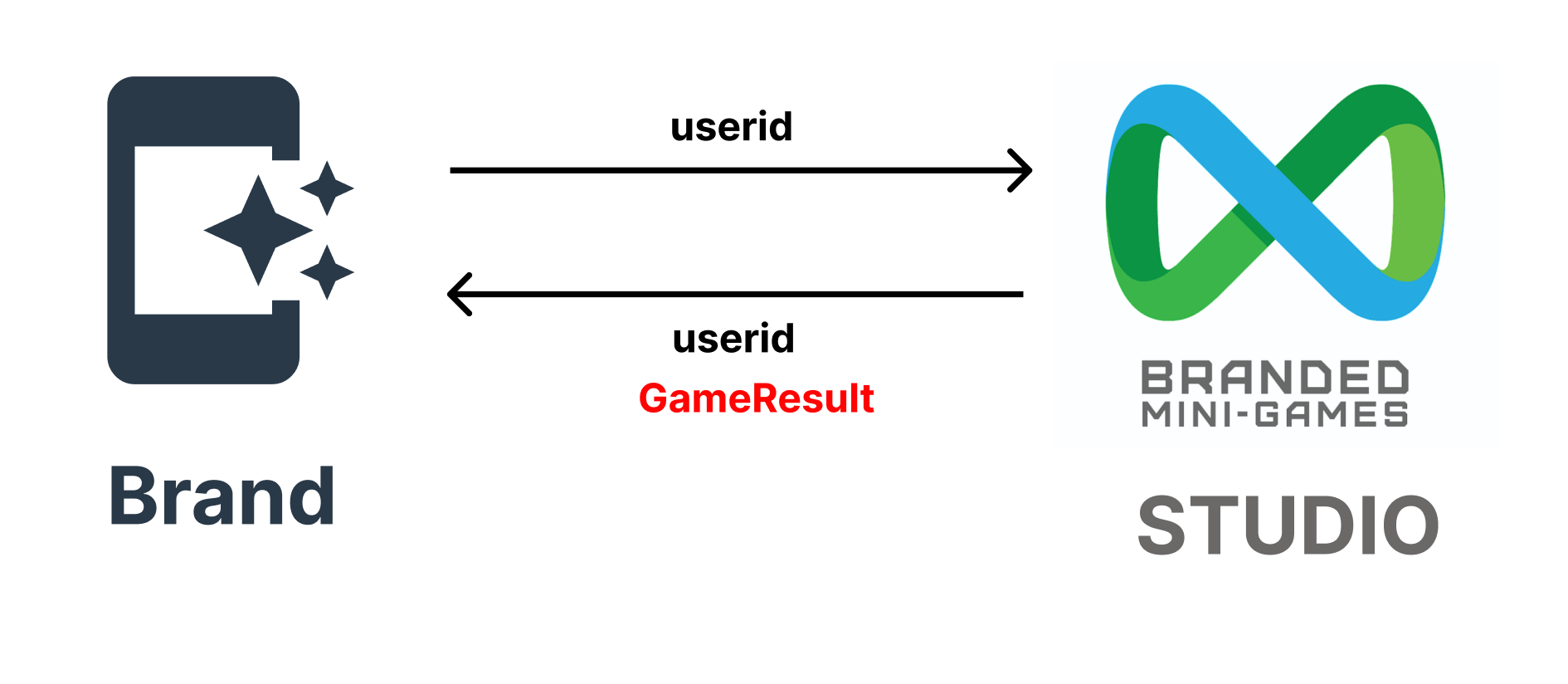
1. The game player is connected to the customer (brand)'s system (website or app, etc.).
2. The brand's system recognizes the player and assigns a unique ID ('userid') to the player.
3. The brand's system loads the branded mini-game by calling the system's URL with the 'userid'.
4. The player plays the branded mini-game.
5. When the player completes the play, our (studio) system sends the game results to the brand's system using the Webhook URL.

<figure><img src="https://970521601-files.gitbook.io/~/files/v0/b/gitbook-x-prod.appspot.com/o/spaces%2FXF5Q8drxdQOBisGrmGGu%2Fuploads%2FdWjUN5INdeemRH39ievx%2FScreenshot%202023-01-23%20at%2016.13.43.png?alt=media&#x26;token=92e698bc-d4b2-468d-aca6-6776690da162" alt=""><figcaption></figcaption></figure>

#### Setup process

1. The customer needs to create a campaign on our system's Studio website.
2. The brand needs to create a program (webhook) on their server to obtain game results.
3. The brand needs to update the webhook URL in the "Return Game Result" section of the campaign settings.

### 3. Implementation

#### Load branded mini-game with userid

* In the basic scenario step 3, the brand's system needs to call our (studio) system's URL with the 'userid'.
* The 'userid' value must be passed using the GET method.

#### Parameters

<table><thead><tr><th width="108.33333333333331">Name</th><th width="231">Description</th><th width="243">Format</th><th>Sample</th></tr></thead><tbody><tr><td>userid *</td><td>Unique ID generated from the customer's system</td><td>Alphanumeric (case-sensitive) + up to 20 digits</td><td>T4g4fLTaorjames</td></tr></tbody></table>

{% hint style="info" %}
Example,\
Original campaign URL address\
<https://branded.mini-games.io/?php=landing@8NKHT2hK\\&campaign\\_no=1\\>
\
The brand's system must call this URL and send the "userid".

<https://branded.mini-games.io/?php=landing@8NKHT2hK\\&campaign\\_no=1&><mark style="color:red;">**userid=T4g4fLTa**</mark>
{% endhint %}

#### Create a webhook to obtain game results

* In step 5 of the basic scenario, **the brand needs to create a program (webhook) on their server**.
* This webhook must have a URL that can be accessed from the system server.
* Our (studio) system sends game results using the POST method with the following parameters.

#### Parameter 1

If the branded mini-game is not an 'instant win' type.

<table><thead><tr><th width="138.33333333333331">Name</th><th width="347">Description</th><th>Sample</th></tr></thead><tbody><tr><td>userid *</td><td>User's unique ID</td><td>T4g4fLTa or james</td></tr><tr><td>tx_id *</td><td>Unique ID for each game played</td><td>234234</td></tr><tr><td>time *</td><td>Datetime when the game player attempted to play</td><td>2023-04-10 06:39:23</td></tr><tr><td>score *</td><td>Score obtained by the game player</td><td>3500</td></tr><tr><td>playtime*</td><td>Duration of play by the game player (in seconds)</td><td>20</td></tr></tbody></table>

\* Indicates a required value.

#### Parameter 2

If the branded mini-game is an 'instant win' type.

<table><thead><tr><th width="169.33333333333331">Name</th><th width="314">Description</th><th>Sample</th></tr></thead><tbody><tr><td>userid *</td><td>User's unique ID</td><td>T4g4fLTa or james</td></tr><tr><td>tx_id *</td><td>Unique ID for each game played</td><td>234234</td></tr><tr><td>time *</td><td>Datetime when the game player attempted to play</td><td>2023-04-10 06:39:23</td></tr><tr><td>reward_image *</td><td>Reward image</td><td>https://branded.mini-games.io/upload/reward/f1GByiOHZZ9biLGd32jp.png</td></tr><tr><td>reward_item *</td><td>Return code (Return Code)</td><td>Coffee</td></tr></tbody></table>

\* Indicates a required value.

#### Return Code

The brand server must return the result code to our studio system.

<table><thead><tr><th width="189">Code value</th><th>Description</th></tr></thead><tbody><tr><td>S</td><td>When successful</td></tr><tr><td>F</td><td>When failing<br>If you want to state the reason for failure, you can add text after the "F" code.<br>Example) "F: Score is missing."</td></tr></tbody></table>

#### PHP example

```
// getting data
isset($_POST[‘userid’]) ? $userid = $_POST[‘userid’] : $userid = ”;
isset($_POST[‘tx_id’]) ? $tx_id = $_POST[‘tx_id’] : $tx_id = ”;
isset($_POST[‘score’]) ? $score = $_POST[‘score’] : $score = ”;
isset($_POST[‘playtime’]) ? $playtime = $_POST[‘playtime’] : $playtime = ”;
isset($_POST[‘time’]) ? $time = $_POST[‘time’] : $time = ”;
// checking validity
if (trim($score) == “”) {
    echo “F : score is missed”;
    exit;
}
if (trim($playtime) == “”) {
    echo “F : playtime is missed”;
    exit;
}
if (trim($time) == “”) {
    echo “F : time is missed”;
    exit;
}
// saving data into database
$sql  = “insert into playing_log (‘tx_id’, ‘userid’, ‘time’, ‘score’, ‘playtime’) values (‘”.$tx_id.”‘, ‘”.$userid.”‘, ‘”.$time.”‘, ‘”.$score.”‘, ‘”.$playtime.”‘);”;
//echo $sql;
// connection DB
// insert data
~~~
// result of saving
if ($result) {
    echo “S”;
}
else {
    echo “F : DB failure”;
}
```

{% hint style="info" %}
To obtain parameter values when the returned data is in JSON format, you must first parse the data.
{% endhint %}
